

Usage and limits
Monitor your usage
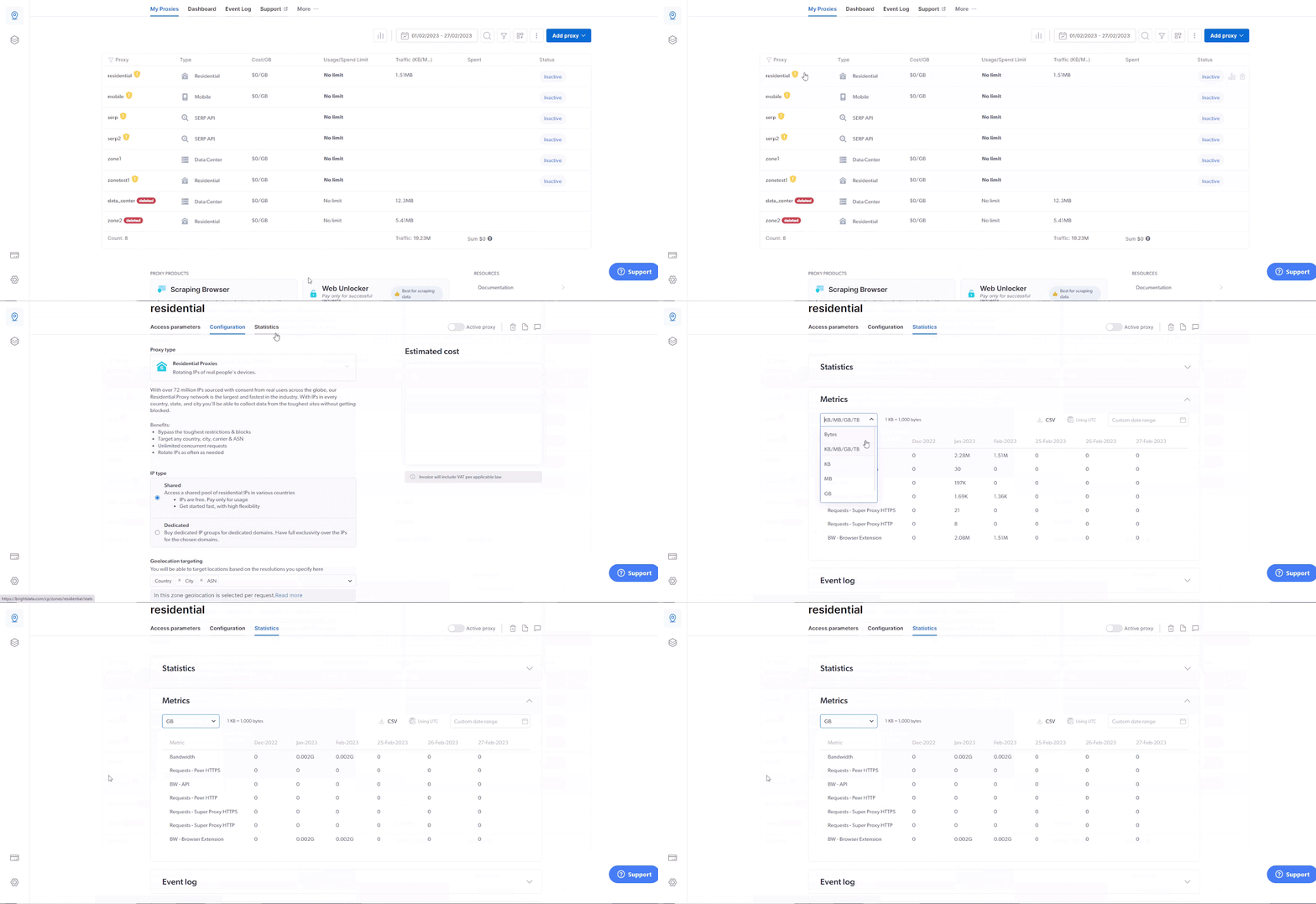
How to monitor your Bright Data residential proxy bandwidth consumption in real time using the Statistics view in the Control Panel.
To review your current bandwidth consumption, simply browse to your residential zone, click on ‘Statistics’ in the top menu, in the ‘Metrics’ section, open the drop-down menu, and change the metric to ‘GB’.