You can use Bright Data products without the SSL certificate:
- Using Bright Data proxy API. Read more: API vs. native Access
- Get your account verified with our KYC process
Download the SSL certificate
- Right click on this link to “save as” the file to your hard drive.
- Unzip the file and choose the certificate to use. Most users - espcially if they are new to Bright Data - should use the new SSL certificate.
Bright Data new SSL Certificate
Bright Data’s current SSL certificate isbrightdata_root_ca_44445.crt, and native proxy connections use port 44445. It is the certificate to use for all new setups. For a step-by-step move from an older port, see the root certificate migration guide.
Port 44445 is required with the new certificate. The old certificates, on ports 22225 and 33335, expire on September 25, 2026 at 00:00 UTC and cannot be extended or renewed. Traffic still relying on them after that date will fail. Read more in: FAQ: Which port shall I use
Using the SSL certificate in your code
If you write scraping code, in most cases, you do not need to install the SSL certificate in your environment. Simply load the SSL certificate in your code. For example, for CURL:If curl on Windows fails with
CRYPT_E_REVOCATION_OFFLINE or CERT_TRUST_REVOCATION_STATUS_UNKNOWN on port 44445, add the --ssl-revoke-best-effort flag. See Windows curl SSL errors on port 44445.Installation of the SSL certificate
In some cases, for example when using some third party tools that don’t allow loading the certificate from your hard drive, you still need to install the SSL certificate on your computer.Where do I install the certificate?
The SSL certificate needs to be installed on the host that is running the actual scraping code or application. In most cases this is your PC but, if you use a cloud-hosted server to run your code, you need to install the SSL certificate on the server itself.How to install the certificate
This takes 2 minutes - simply follow these instructions:- Windows
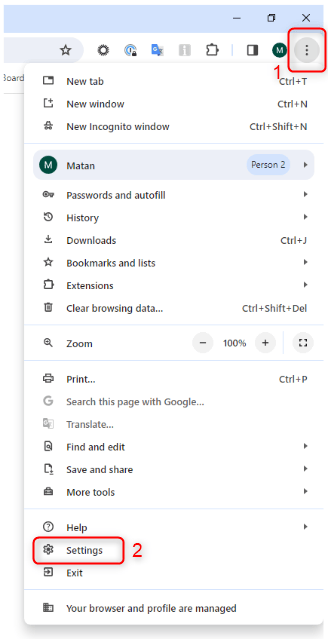
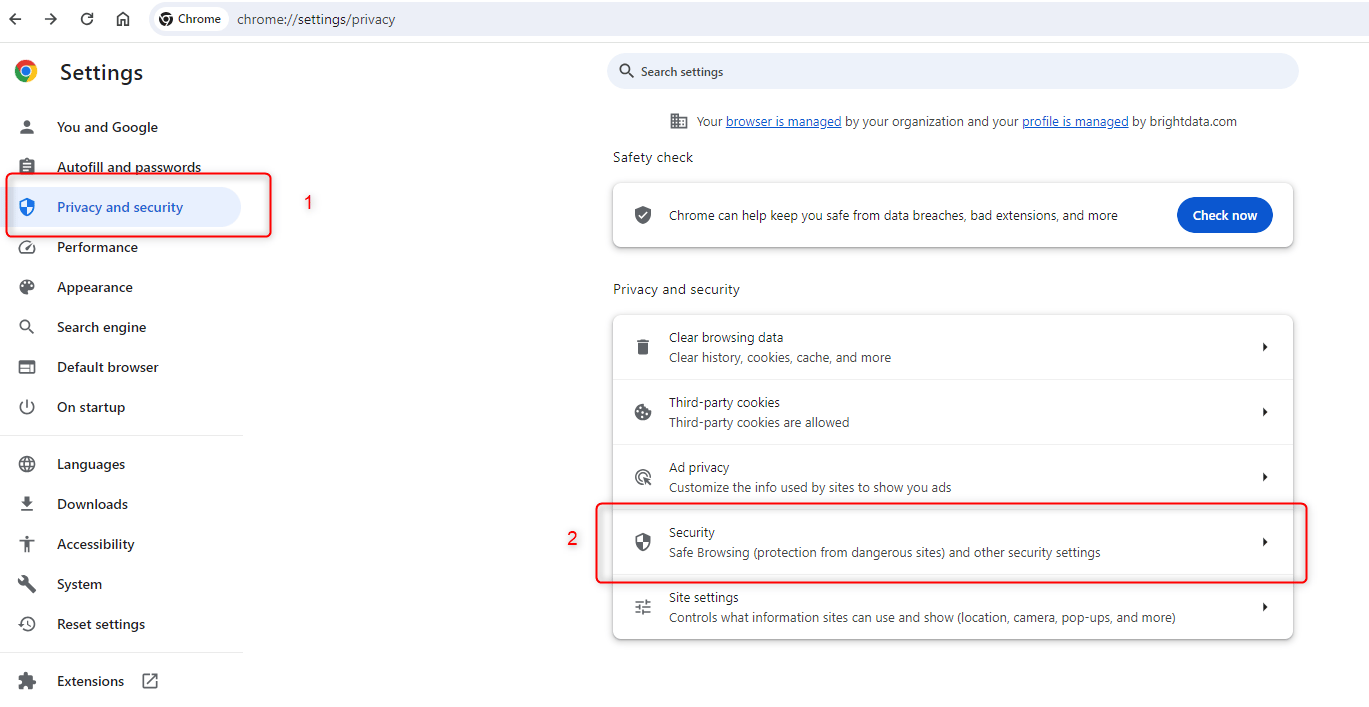
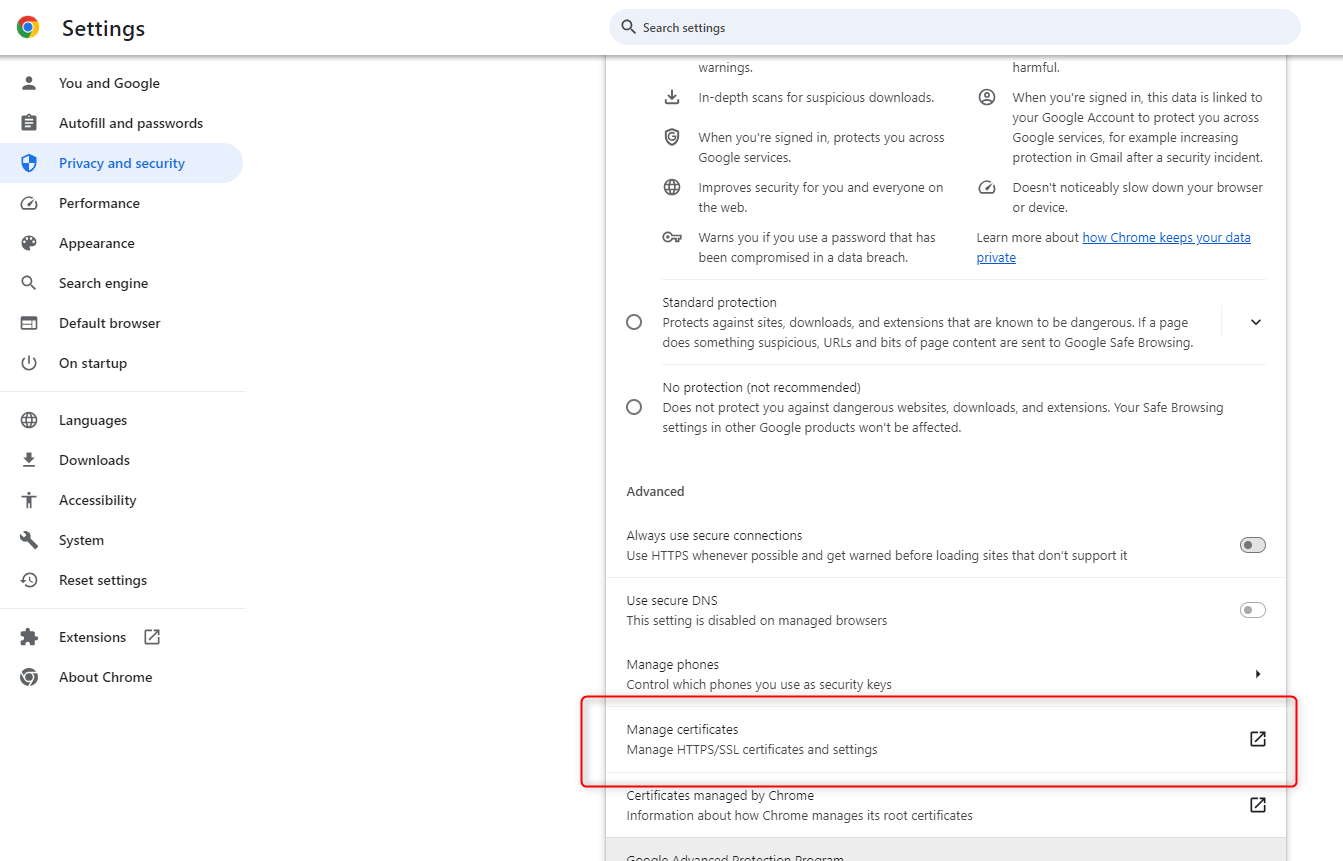
- Chrome
- Firefox
- Linux
- macOS
- iOS
- Android
- If you didn’t do so already, Right click on this link to “save as” the file to your hard drive.
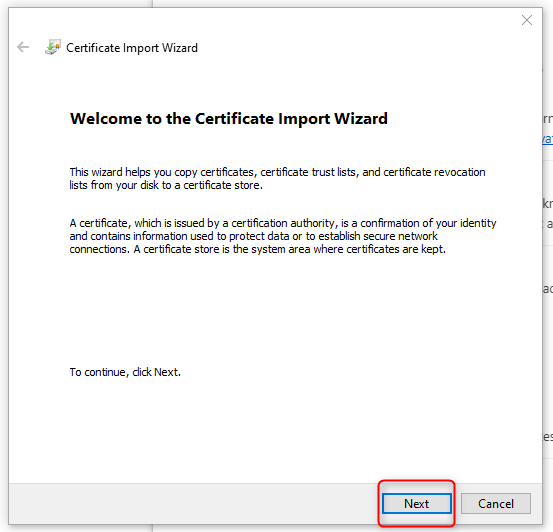
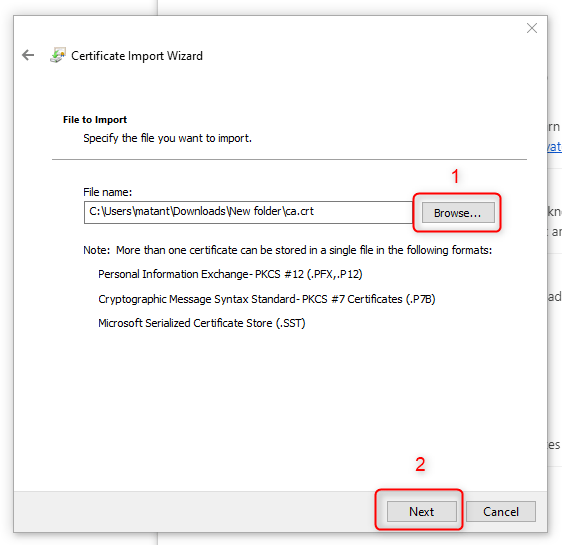
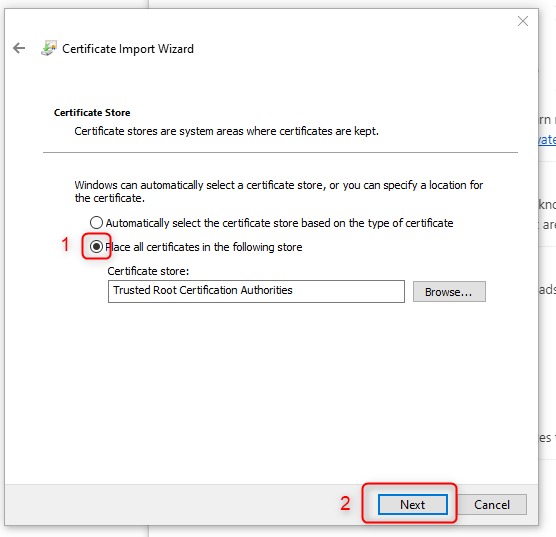
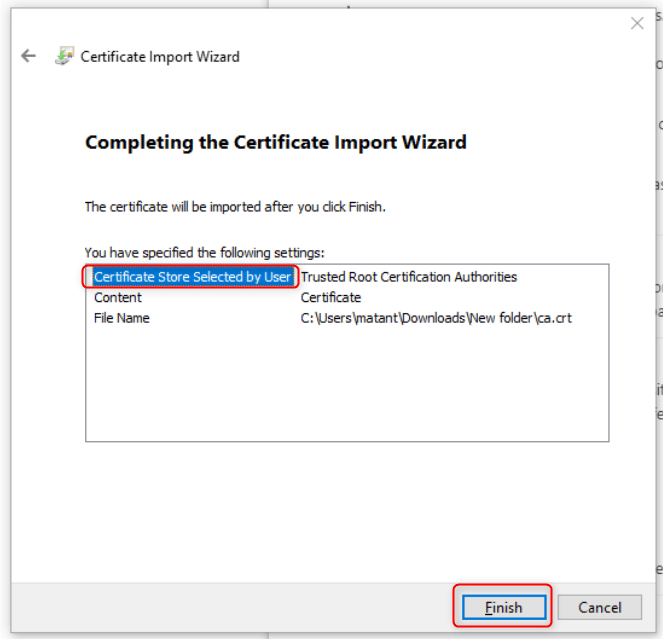
- Double click the ca.crt file
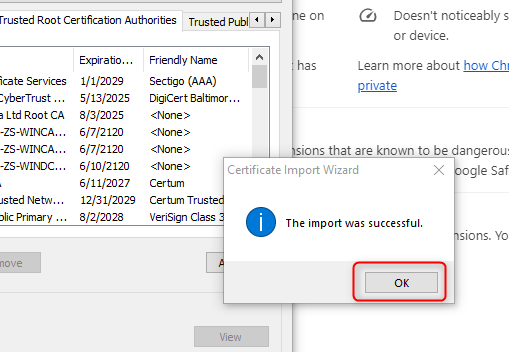
- Follow the Windows instructions to install the certificate.
- Reboot your computer
- After rebooting, you will be able to connect to Bright Data product you needed (Residential Proxy, Web Unlocker API or SERP API)