

Start free, no credit card requiredYour free tier includes 5,000 credits every month for the SERP API. Create your SERP API and start sending requests immediately, no payment method needed. Learn more about the free tier.
2
Navigate to Create an API page
Navigate to Create an API under the Web Access API section in the left menu.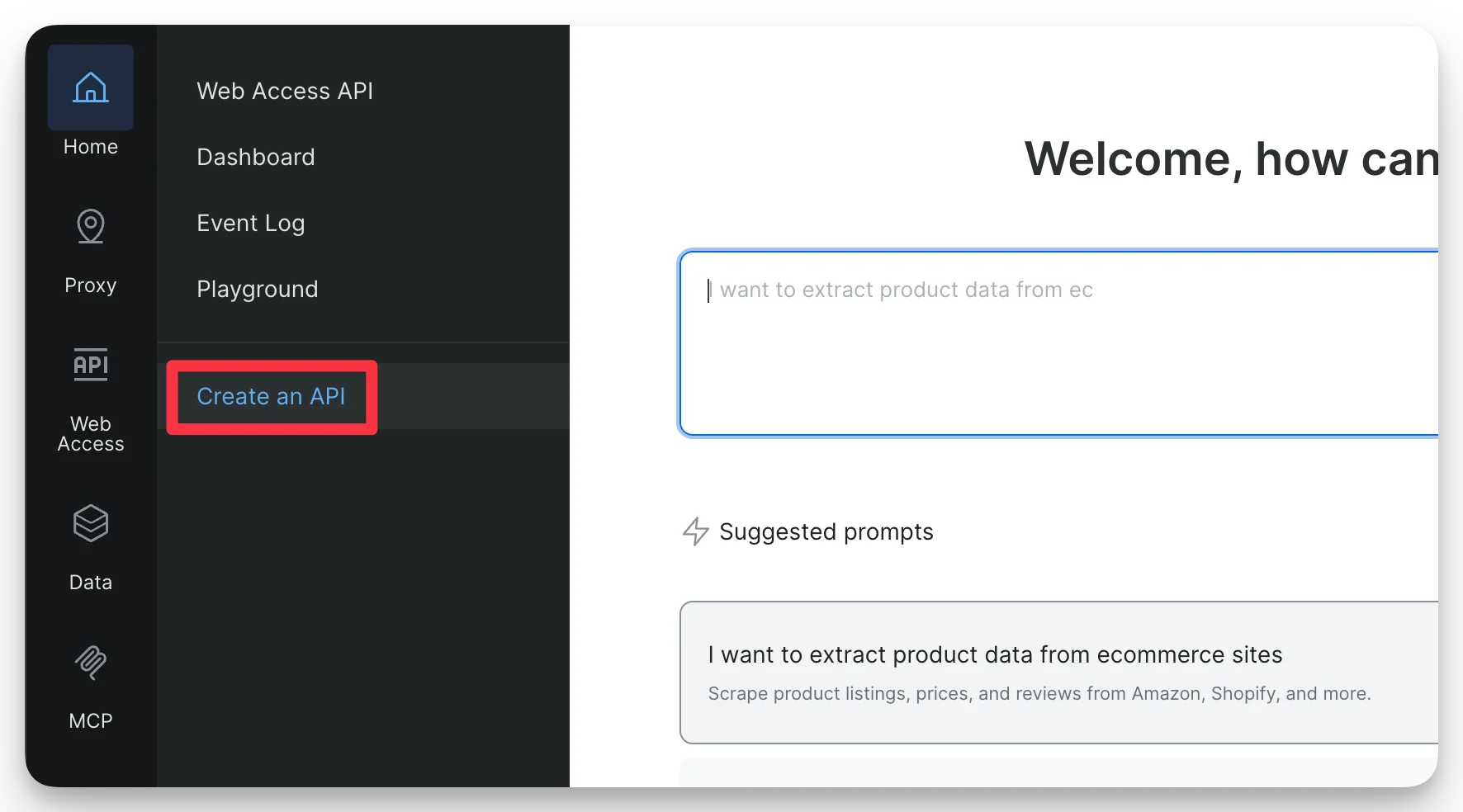
3
Choose SERP API
Select SERP API and click Continue.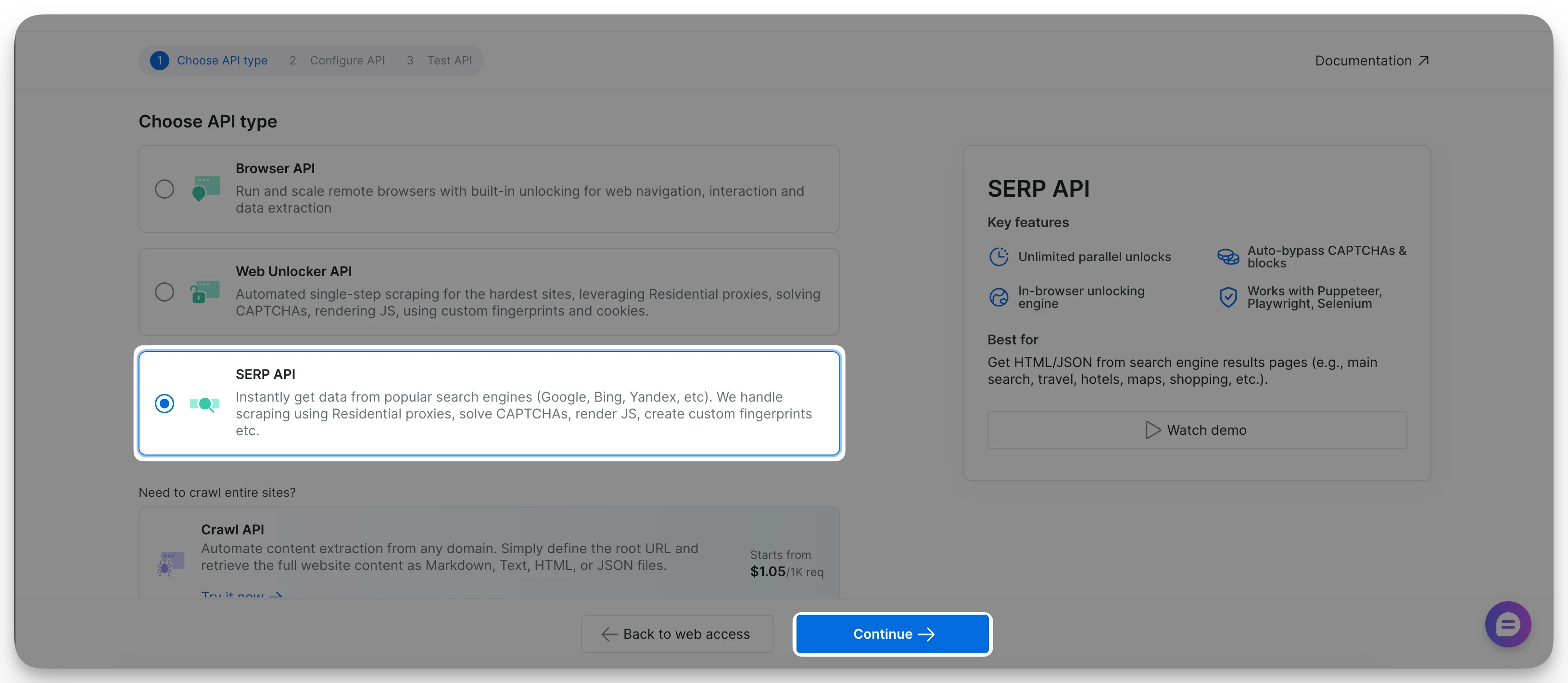
4
Assign a name to your SERP API
Enter a meaningful name. Optionally, add a short description.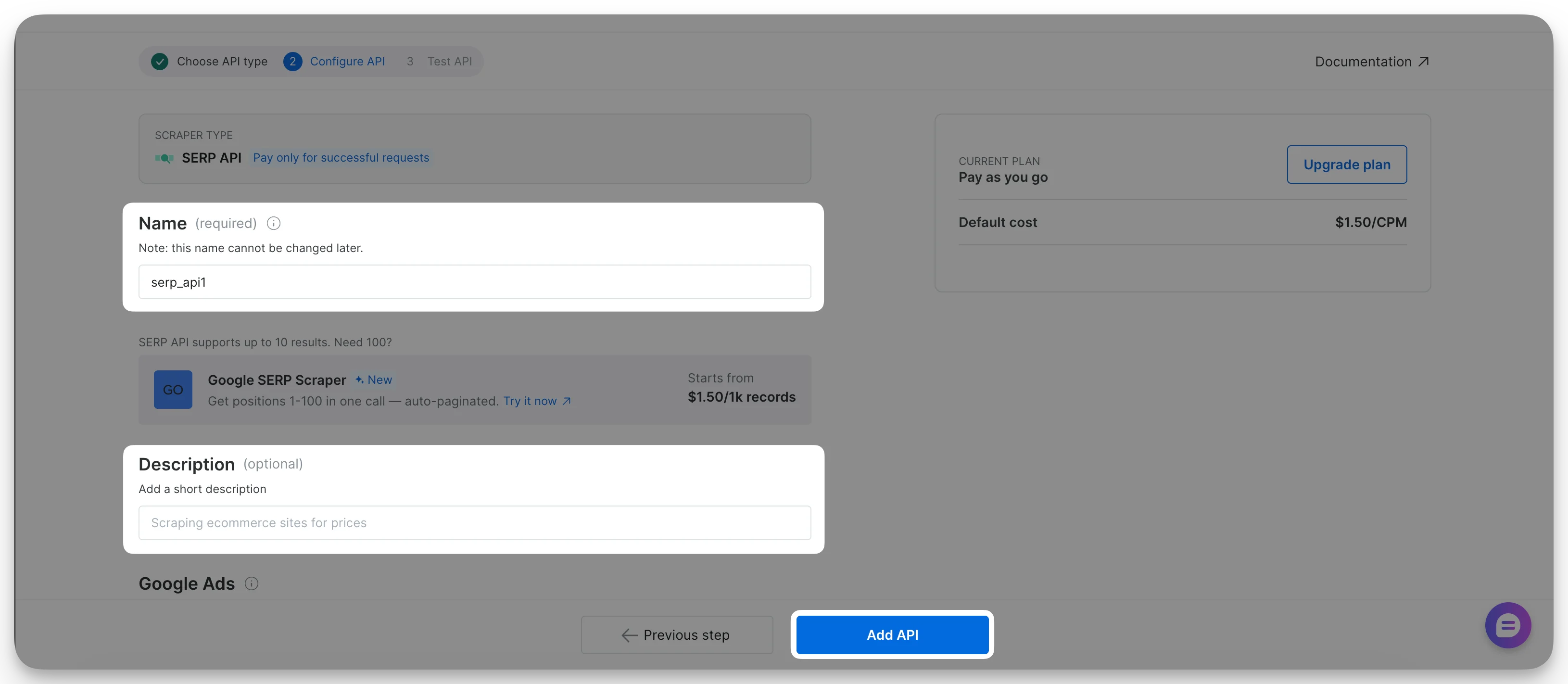
5
Finalize API creation
Click Add API. Your SERP API is now ready to use.